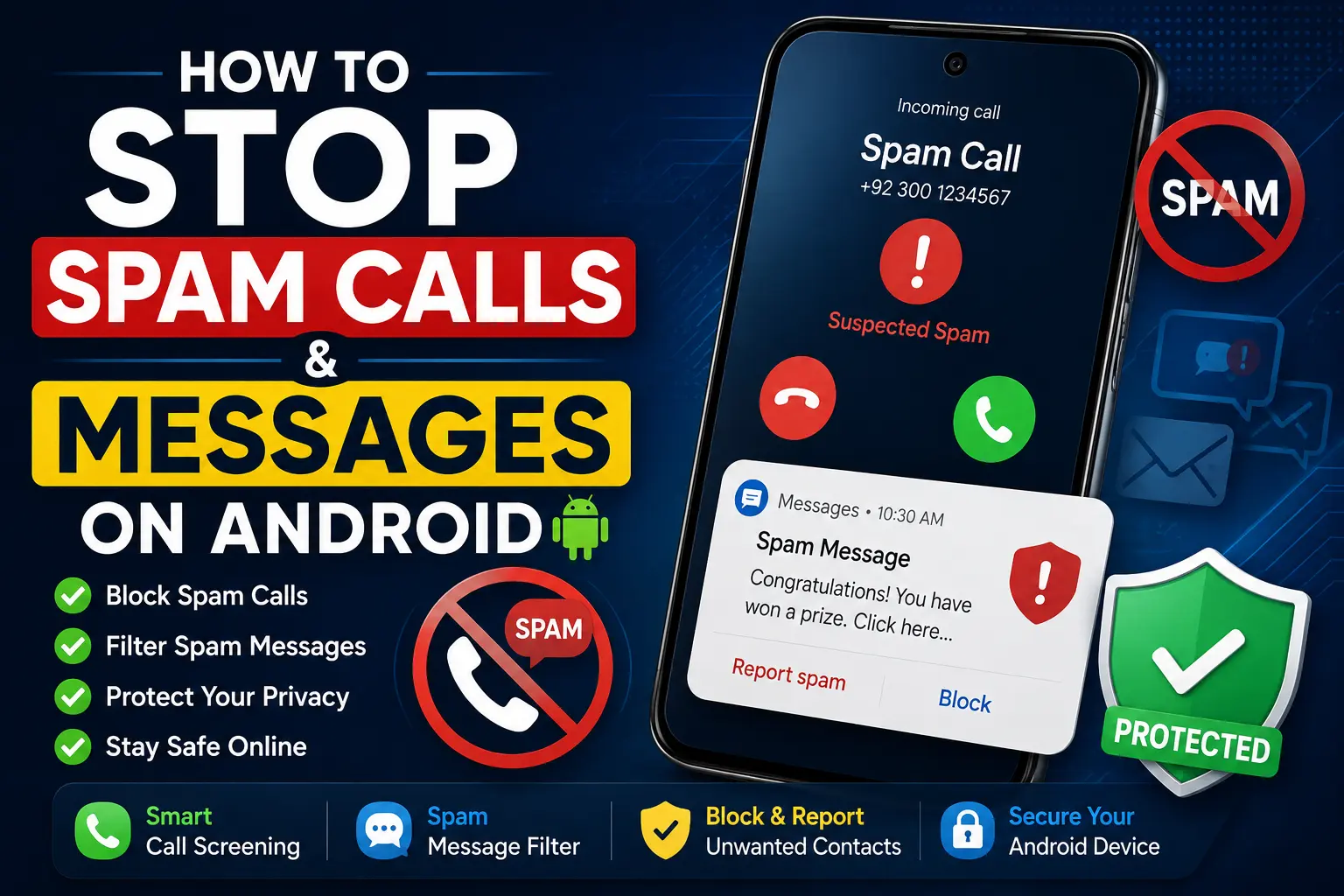
Spam calls and unwanted text messages can quickly become one of the most annoying problems on an Android phone. You may receive repeated calls from unknown numbers, fake delivery alerts, loan offers, promotional messages, investment scams, or texts asking you to click suspicious links.
The good news is that Android provides several tools for reducing unwanted calls and messages. Depending on your phone model, Android version, and the apps you use, you may be able to identify suspected spam, block individual numbers, filter unwanted messages, and report suspicious communications.
In this guide, you will learn How to Stop Spam Calls and Messages on Android using built-in Android features, Google Phone, Google Messages, carrier services, and safer habits that can reduce future spam.
Quick Answer
The quickest way to stop spam calls and messages on Android is to enable your phone’s built-in spam protection, block numbers that repeatedly contact you, and report suspicious calls or messages as spam. If you use Google’s Phone and Messages apps, both apps offer spam-related controls on supported devices.
For calls, open the Phone app and look for its Caller ID & spam or similar spam-protection settings. You can also block and report individual numbers from your recent calls. For messages, Google Messages can identify suspected spam and provides options to block or report unwanted conversations.
If spam continues after blocking individual numbers, don’t keep blocking every new number manually. Scammers and telemarketers can use different numbers. Instead, enable available spam filters, avoid responding to suspicious messages, and contact your mobile carrier if the problem becomes persistent.
Why Spam Calls and Messages Happen on Android
Spam is not caused by Android itself. Your phone is simply receiving communications sent through telephone networks, messaging systems, apps, or internet-based services.
There are several reasons your number may receive unwanted communications.
Your Number Was Shared Online
You may have entered your phone number on a website, marketplace, social network, survey, shopping service, or other online platform.
Some businesses use phone numbers for legitimate communication, but your number can also end up in marketing databases.
Data Leaks and Security Incidents
A phone number can sometimes be exposed when a company or online service experiences a security incident.
You may not know exactly where the number originated, especially if you have used the same number for many years.
Public Listings
Phone numbers displayed publicly on business pages, classified advertisements, forums, social profiles, or other websites can be collected by automated systems.
This can increase the chance of receiving unsolicited calls and messages.
Marketing Lists
Some companies use marketing lists to contact potential customers.
Legitimate marketing messages usually provide some way to opt out, but not every unwanted message comes from a legitimate business.
Scammers Use Random Numbers
Scammers may send messages or make calls to large numbers of telephone numbers.
This means you can receive spam even if you have never knowingly provided your number to the sender.
Fake Delivery, Banking, and Account Alerts
Modern spam frequently attempts to look like a legitimate notification.
Examples include messages claiming that:
- A package could not be delivered
- Your bank account needs verification
- Your payment failed
- Your account will be suspended
- You have won a prize
- A refund is waiting
- Your subscription needs payment
- You have received an unexpected job opportunity
The goal is often to make you act quickly without checking whether the message is genuine.
How to Stop Spam Calls and Messages on Android
The best approach is to combine Android’s built-in protection with blocking and reporting.
You do not need to install several third-party applications immediately. Start with the tools already available on your phone.
Method 1: Turn On Spam Protection in the Phone App
If your Android phone uses Google’s Phone app, it may provide spam detection and caller identification.
The exact wording can vary depending on the Android version and manufacturer.
Try these steps:
- Open the Phone app.
- Tap the three-dot menu.
- Open Settings.
- Look for Caller ID & spam, Spam and Call Screen, or a similarly named option.
- Enable the available spam-identification or spam-filtering features.
On some devices, you may see more options than on others.
Spam protection may identify calls suspected to be unwanted before you answer them.
Method 2: Block and Report Spam Calls
If a specific number keeps calling you, block it instead of simply ignoring it.
On many Android phones:
- Open the Phone app.
- Go to Recent calls.
- Tap the unwanted number or open its call details.
- Choose Block or Block/report spam.
- Confirm the action if prompted.
The exact menu may differ on Samsung, Pixel, Xiaomi, Motorola, OnePlus, and other Android devices.
Blocking is particularly useful for numbers that repeatedly contact you.
Method 3: Enable Spam Protection in Google Messages
If you use Google Messages, check whether its spam-protection feature is enabled.
Try:
- Open Google Messages.
- Tap your profile picture or account icon.
- Open Messages settings.
- Look for Spam protection.
- Turn on the available spam-protection option.
Google Messages can use its spam detection system to identify suspicious messages.
When a message is recognized as spam, it may be moved away from your normal conversations or displayed with a warning.
The exact interface can change between app versions.
Method 4: Block and Report Spam Text Messages
If an unwanted text reaches your normal inbox, you can usually block and report it.
In Google Messages, the process commonly looks like this:
- Open the conversation.
- Tap the conversation options.
- Choose Block or Block & report spam, if available.
- Confirm your choice.
Reporting the message as spam can be more useful than simply deleting it because it provides information to the messaging system.
Method 5: Never Click Links in Suspicious Messages
Blocking spam is only part of the solution.
You should also avoid interacting with suspicious messages.
Do not click links merely because a message claims to be urgent.
Be especially careful with messages that say you must:
- Verify your bank account
- Pay a small delivery fee
- Confirm your identity
- Claim a reward
- Reset a password
- Download an application
- Enter a card number
- Provide an OTP or verification code
If the message claims to come from a company you use, open that company’s official app or type its official website address yourself rather than following the message’s link.
Method 6: Block Repeated Spam Numbers
Some spam campaigns use the same number repeatedly.
If a number keeps contacting you, block it directly.
On many Android phones:
- Open the Phone app.
- Find the number under Recents.
- Open the call information.
- Tap Block.
- Confirm the block.
For text messages, open the unwanted conversation and use the available block option.
Remember that blocking one number does not necessarily stop an entire spam campaign. A spammer may use another number later.
Method 7: Use Your Mobile Carrier’s Spam Protection
Your mobile network provider may offer its own spam-call or scam-detection service.
Carrier features vary by country and provider, so there is no single setting that works for every Android phone or network.
Check your carrier’s official app or website for options related to:
- Spam calls
- Scam calls
- Caller identification
- Unwanted messages
- Call blocking
- Number protection
If you are receiving an unusually large number of spam calls, your carrier may also be able to explain what filtering options are available for your number.
Android-Specific Solutions
Android is used by many manufacturers, so the exact menus can differ.
A Samsung Galaxy phone may use Samsung’s Phone and Messages apps, while a Google Pixel may rely heavily on Google’s Phone and Messages apps. Other manufacturers can customize their calling and messaging interfaces.
Google Pixel Phones
Google Pixel phones commonly use Google’s Phone and Messages applications.
Check the Phone app’s spam and caller-identification settings and the Messages app’s spam-protection settings.
Some Pixel models and regions also have additional call-screening capabilities, but availability can depend on the device, language, country, and software version.
Samsung Galaxy Phones
Samsung Galaxy devices may provide spam and caller-identification features through Samsung’s phone application.
To find the relevant controls:
- Open the Phone app.
- Tap the three-dot menu.
- Open Settings.
- Look for settings related to Caller ID, spam protection, or blocking numbers.
The exact wording can differ between One UI versions and Galaxy models.
Samsung Messages and Google Messages can also have different interfaces, so first determine which messaging application you normally use.
Other Android Phones
If you use Motorola, Xiaomi, OnePlus, Oppo, Vivo, Realme, Nokia, or another Android manufacturer, look in the Phone app’s settings for words such as:
- Spam
- Caller ID
- Blocked numbers
- Call blocking
- Unknown callers
For messages, search the messaging app’s settings for:
- Spam protection
- Blocked numbers
- Spam and blocked
- Message filtering
If you cannot find these options, check whether your phone uses Google Phone or Google Messages and review those applications separately.
How to Deal With Spam Messages That Keep Changing Numbers
One of the biggest problems with spam is that blocking a single number may not be enough.
A spammer can use a different number for the next message.
Instead of manually blocking hundreds of numbers, use the following approach:
- Enable your messaging app’s spam protection.
- Report suspicious messages as spam.
- Avoid replying to unwanted messages.
- Do not click suspicious links.
- Block persistent senders.
- Contact your carrier if the volume remains unusually high.
Do not respond with messages such as “STOP” unless you are confident that the sender is a legitimate organization and the message provides a genuine opt-out process.
Replying to unknown senders can sometimes confirm that your number is active.
How to Stop Spam Calls Without Missing Important Calls
Some people are hesitant to enable aggressive call filtering because they are worried about missing calls from new customers, delivery drivers, employers, doctors, schools, or other legitimate callers.
Instead of automatically blocking every unknown number, use spam identification where available.
This can allow you to distinguish between a suspected spam call and a normal unknown caller.
Before enabling an aggressive blocking feature, check what the setting actually does. Some features identify suspected spam, while others may prevent certain calls from ringing.
This distinction matters if you regularly receive important calls from numbers that are not saved in your contacts.
Things to Check Before Trying Advanced Solutions
Before changing major phone settings or installing additional applications, check these basic items.
Check Which Phone App You Use
Open your Phone app and identify whether it is:
- Google Phone
- Samsung Phone
- Another manufacturer-provided dialer
- A third-party calling application
The instructions depend on the application.
Check Which Messaging App You Use
Your phone may have Google Messages, Samsung Messages, or another messaging app.
Spam-filtering instructions for Google Messages do not necessarily match Samsung’s application.
Update Your Apps
Open Google Play Store and check for available updates for your Phone and Messages applications.
An older app version may have a different interface or lack newer functionality.
Check Your Blocked Numbers
If you have already blocked numbers, review your blocked list before making major changes.
Make sure you have not accidentally blocked someone you need to hear from.
Save Important Information
If a suspicious message appears to be part of fraud, save screenshots or other relevant information before deleting it.
This can be useful if you need to report the incident to your carrier, a service provider, or an appropriate authority.
Common Mistakes to Avoid
Do Not Reply to Obvious Spam
Replying can tell the sender that the number is active.
If it is clearly suspicious, report and block it instead.
Do Not Click “Unsubscribe” in Suspicious Messages
Legitimate marketing messages can provide safe unsubscribe options, but a suspicious message may use a fake link.
If you do not trust the sender, do not click its links.
Instead, use the company’s official website or application to manage communication preferences.
Do Not Share OTPs
A one-time password or verification code should not be shared with someone who calls or messages you unexpectedly.
A scammer may already know your name or other information and use it to sound convincing.
Do Not Install Random Spam-Blocking Apps
You may find applications claiming to block every spam call or message.
Before installing one, review its developer, permissions, privacy practices, reputation, and whether you actually need it.
A spam-blocking app that requests unnecessary access to personal information deserves careful consideration.
Do Not Assume Every Unknown Number Is Spam
An unknown number could belong to a legitimate person or organization.
Use caller-identification and spam warnings as signals rather than assuming that every unfamiliar number is malicious.
Do Not Delete Evidence Immediately
If a message involves fraud, threats, impersonation, or suspicious financial activity, take screenshots first.
Once you delete the conversation, recovering the exact content may not always be straightforward.
When to Get Professional Help
You normally do not need a technician just because you receive ordinary spam calls or texts.
However, professional assistance may be appropriate if the problem appears to involve account compromise, malware, fraud, or persistent harassment.
Consider getting help if:
- Your phone is behaving unusually after installing an unknown app.
- Your accounts are being accessed without permission.
- You are receiving unexpected password-reset or verification codes.
- Someone appears to be impersonating you.
- Your number is being used to create fraudulent accounts.
- Spam is accompanied by threats or harassment.
- You suspect your SIM or mobile account has been compromised.
- You are experiencing suspicious charges or account activity.
If you suspect account compromise, secure the affected account from a trusted device when possible, change the password, review recent activity, and enable stronger sign-in protection.
If you suspect a SIM-related problem, contact your mobile carrier through its official support channel.
Frequently Asked Questions
How do I stop spam calls and messages on Android?
Start by enabling spam protection in your Phone and Messages apps. Then block and report individual spam numbers and avoid responding to suspicious messages.
If spam continues, check whether your mobile carrier provides additional spam-filtering services.
How do I permanently stop spam calls on Android?
There is no guaranteed way to prevent every unwanted call because callers can use new or different numbers.
The most effective approach is to combine spam detection, call blocking, reporting, and carrier-level protection where available.
Why am I still getting spam calls after blocking numbers?
Blocking a number generally affects that particular number. Spammers can use other numbers, including numbers that appear to be local.
This is why spam detection and carrier-level filtering can be more useful than manually blocking every new caller.
How do I stop spam text messages on Android?
If you use Google Messages, check its Spam protection setting. You can also block and report individual unwanted conversations.
Avoid clicking suspicious links or responding to unknown senders.
Does Android have a built-in spam blocker?
Many Android phones provide some form of spam detection or blocking, but the exact features depend on the device, Android version, manufacturer, phone application, and region.
Google’s Phone and Messages apps provide spam-related features on supported devices.
Should I delete spam messages?
You can delete ordinary spam messages after reporting or blocking them. However, if a message involves suspected fraud, threats, account compromise, or another serious issue, take screenshots first so you retain evidence.
Can spam calls hack my Android phone?
Simply receiving a normal phone call does not mean your phone has been hacked.
The greater risk often comes from what happens after the call—for example, if someone convinces you to reveal an OTP, install an application, transfer money, or visit a malicious website.
Should I answer calls from unknown numbers?
There is no universal rule. If you are expecting an important call, you may need to answer unknown numbers.
Use your phone’s caller-identification and spam-warning features when available, and avoid sharing sensitive information with unexpected callers.
Can I block all unknown numbers on Android?
Some Android phones provide settings for handling calls from unknown numbers, but the exact options vary by device and Phone app.
Before enabling such a feature, understand whether it blocks all unsaved numbers or only suspected spam. Blocking every unknown caller could cause you to miss legitimate calls.
Final Thoughts
Learning How to Stop Spam Calls and Messages on Android is mostly about using several layers of protection rather than relying on one setting.
Start with your phone’s built-in spam protection. Enable caller identification and spam detection where available, turn on spam protection in your messaging app, and block and report numbers that repeatedly send unwanted communications.
Just as importantly, change how you respond to suspicious messages. Do not click unexpected links, provide OTPs, install unknown applications, or transfer money because a caller or message creates a sense of urgency.
If spam continues despite these steps, check your mobile carrier’s available spam-protection services. And if the communications involve fraud, account compromise, or harassment, preserve evidence and take additional security measures.
The best next step is simple: open your Android Phone and Messages apps today, check their spam settings, and make sure suspicious calls and messages are being filtered and reported rather than simply ignored.